How to keep the same character on every page of an AI picture book
Ask an AI image tool for the same character twice and you usually get two different kids. That is fine for one picture and useless for a book. Here is why it happens, and the workflow that keeps one hero identical from the first page to the last.
Same description, three different kids
We gave one short description to three popular image generators: a cheerful boy with curly ginger hair, round glasses and a green striped t-shirt, exploring a jungle with a waterfall. No references, just the words.
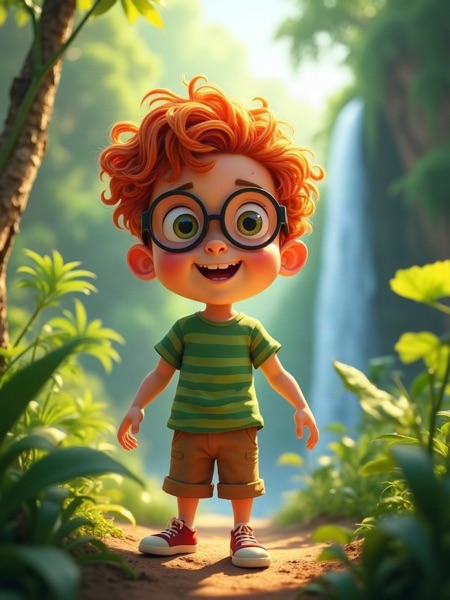

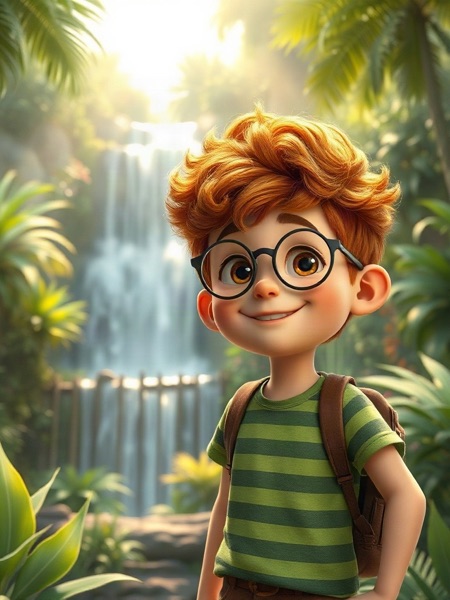
FLUX dev, Stable Diffusion 3.5 and FLUX schnell, same words.
Every image is generated from scratch. The words “curly ginger hair” leave thousands of choices open: face shape, nose, how curly, how ginger, the exact stripes. The model makes those choices again on every image, so the character drifts. Writing a longer prompt helps a little, but it never pins down a face.
Draw the character once, then reuse the drawing
Illustrators solve this with a model sheet: the character is drawn once, and every page is drawn from that sheet. CreateBooksAI does the same thing.
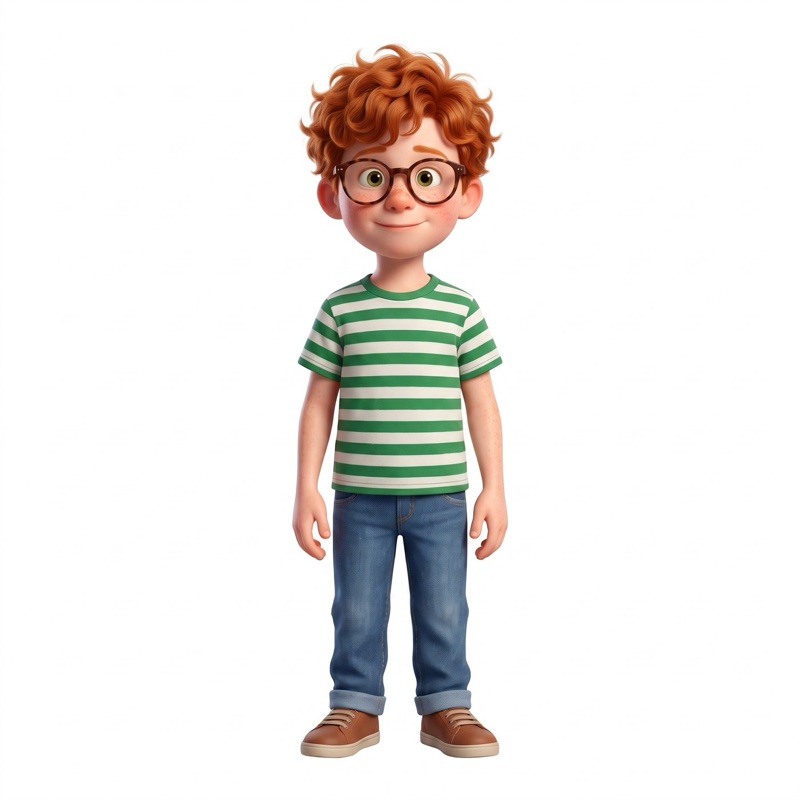
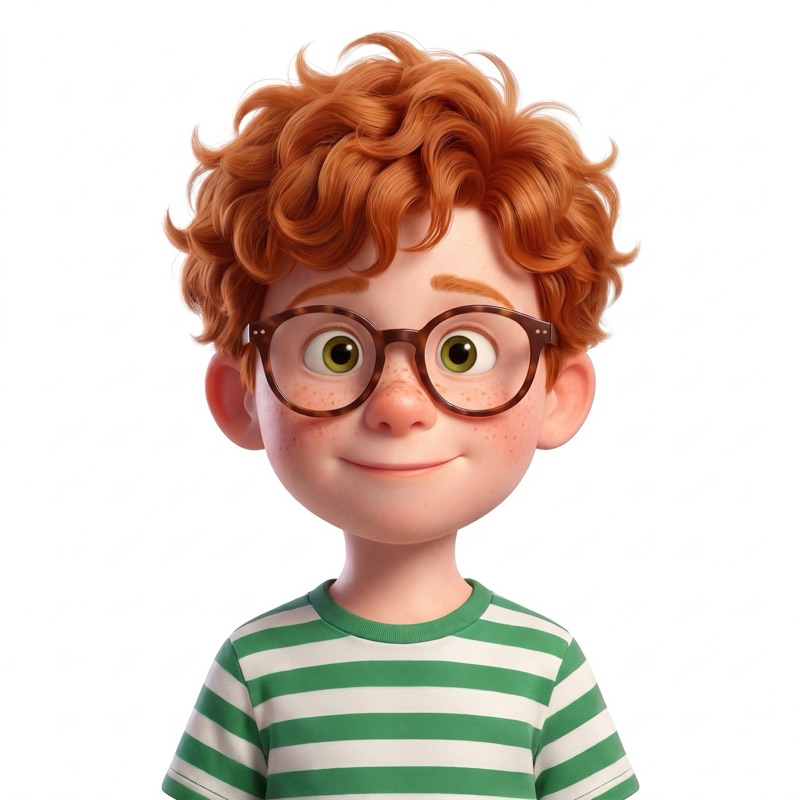
You describe your character once, in plain words, or start from a photo. That becomes two reference images: a full body for proportions and clothes, and a face close-up for identity. Both images go along with every page you make, so the model copies the character instead of reinventing him.
- One description, written like you would describe the character to a friend
- Two reference images, full body and face, made once for 2 credits
- Reused on every page, together with the rest of your cast and your places
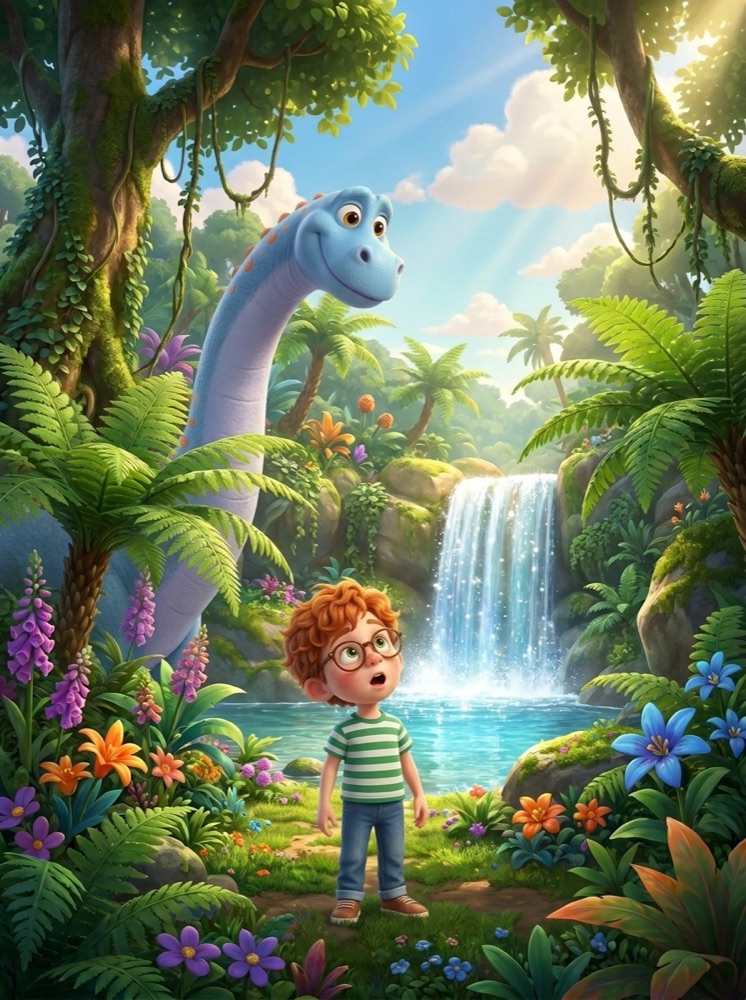
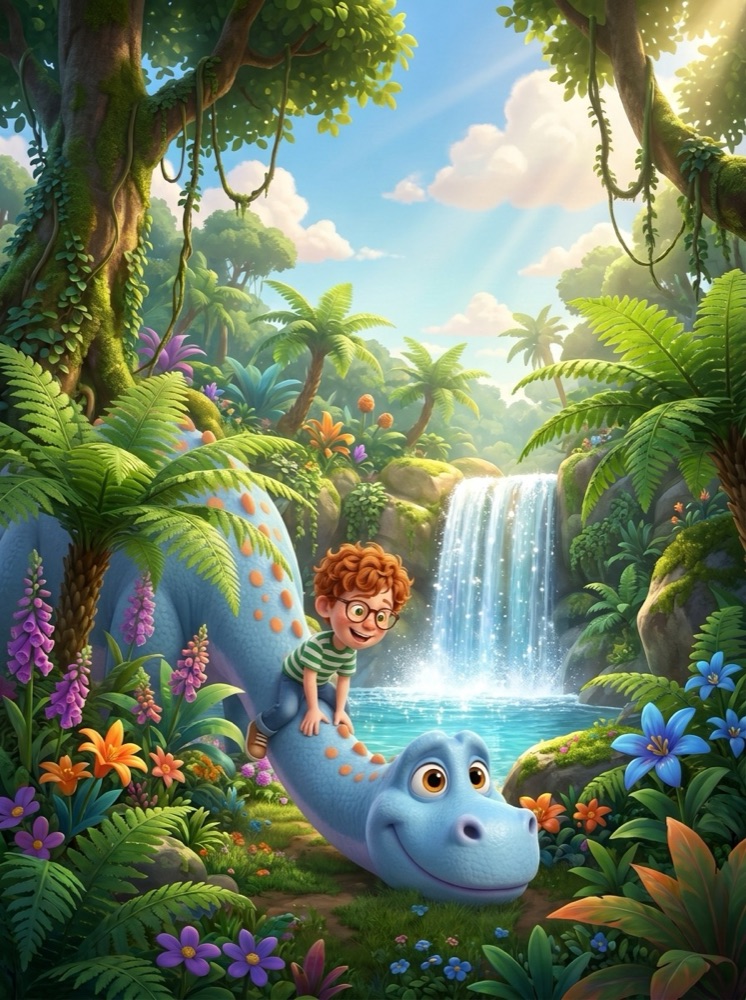
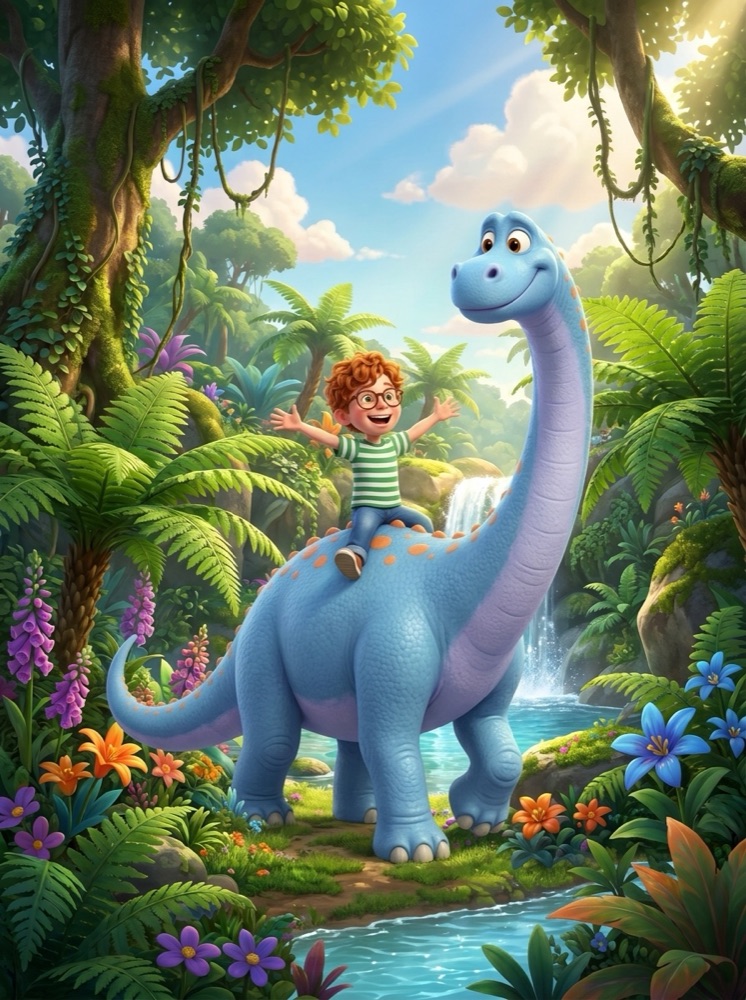
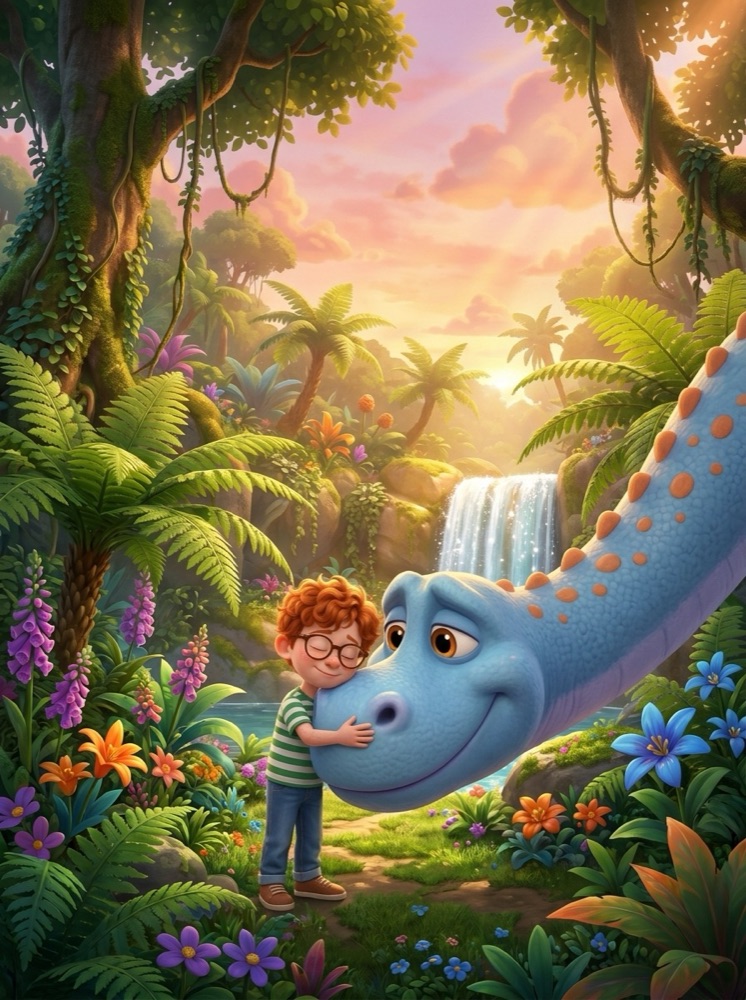
Leo stays Leo, page after page
Four pages from one example book. Same curls, same glasses, same striped shirt, and the same friendly dinosaur.
Five things that keep a character on-model
- Give one or two distinctive details. Round glasses, a strawberry t-shirt, red boots. Concrete details are easy to copy and easy to check.
- Build the whole cast first. Siblings, parents, pets and sidekicks each get their own references, so nobody drifts in group scenes.
- Change outfits with a variation, not a new character. Pyjamas for the bedtime page are one sentence and keep the same face.
- Make your places once too. A recurring bedroom or garden stays the same room from page to page.
- Fix a page by saying what is wrong. “The swing is missing from the tree” repaints just that page, with the same references.
See a complete ten-page book with every prompt on the inside a real book page, or read how characters work in detail.
Frequently asked
Why does AI draw my character differently every time?
Each image is generated from scratch, and a text description leaves many details open, such as face shape, hair and clothing details. The model fills them in again on every image, so the character drifts unless it gets a reference image of the character to copy.
How do I keep the same character in every AI illustration?
Create the character once as reference images, a full body and a face close-up, and give those references to the model on every page. CreateBooksAI does this automatically for every character in your book.
Can I keep several characters consistent in the same book?
Yes. Every character in your cast has their own references, and a page can include several characters and a place, each kept consistent.
What does it cost?
A character costs 2 credits once, and each page costs 1 credit. Single Spark is $14.99 for 50 credits, the Creator Pack $24.99 for 100 credits and the Publisher Pack $89.99 for 400 credits, about $0.22 to $0.30 per image. There is no subscription.